Product

FrameCheck

Photo Archive Integrity Scanner

FrameCheck scans large photo archives and surfaces issues before they become expensive data-loss problems.

  • Find corruption early before files become unrecoverable
  • Catch sidecar mismatches and timestamp inconsistencies
  • Surface exact duplicates and visual near-duplicates fast
Works offline. No cloud account required for scanning.

Scan Coverage

  • Integrity: JPG, JPEG, TIFF, PNG, DNG
  • Sidecar: CR2, CR3, NEF, ARW, RAF, ORF, RW2, DNG, XMP
  • Duplicate: CR2, CR3, NEF, ARW, RAF, ORF, RW2, DNG, JPG, JPEG, TIFF, PNG
  • Similar: JPG, JPEG, TIFF, PNG
  • Metadata: CR2, CR3, NEF, ARW, RAF, ORF, RW2, DNG, JPG, JPEG, TIFF, PNG, XMP
  • Timestamp: same file set as Metadata (requires Metadata validation)
  • Preview: JPG, JPEG, TIFF, PNG, DNG

What Each Scan Does for You

Integrity Scan

Opens and verifies image files so broken or unreadable files are flagged before they surprise you later.

Sidecar Validation

Checks RAW/XMP pairing so edits and metadata sidecars are not silently separated from originals.

Duplicate Detection

Uses SHA256 exact matching to reveal true duplicate files and reduce storage waste safely.

Similarity Detection

Uses perceptual hashing to find visually similar images so near-duplicates can be reviewed quickly.

Metadata Validation

Finds missing or invalid metadata fields that cause sorting, searching, and archive consistency issues later.

Timestamp + Preview Checks

Compares capture time to file/folder chronology and verifies preview decode to catch hidden archive inconsistencies.
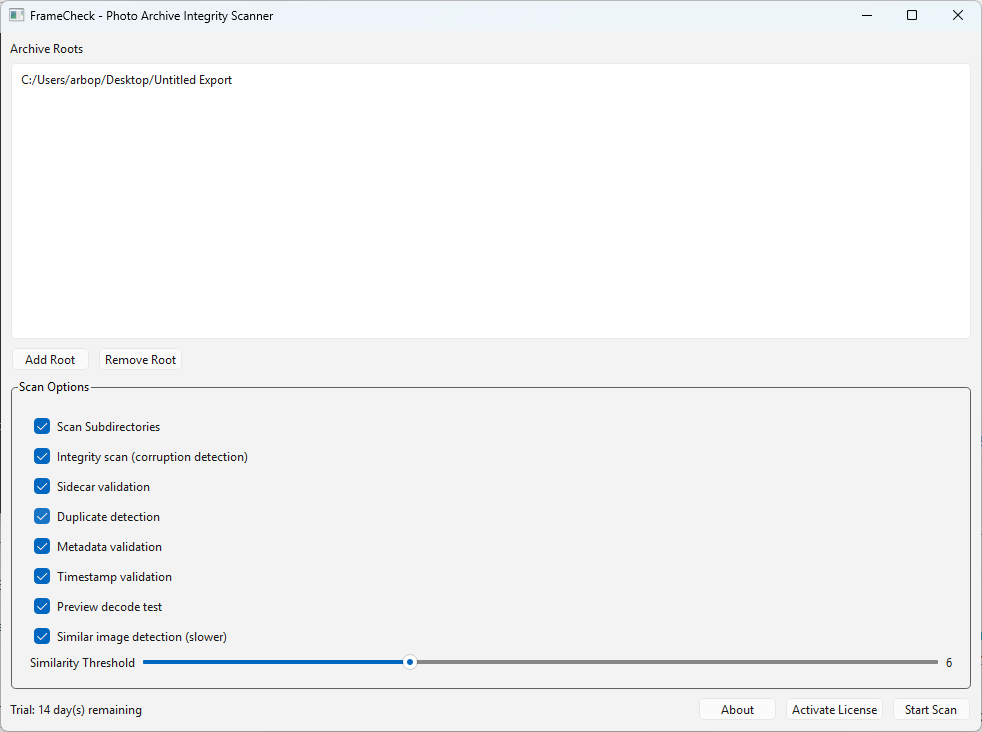
See FrameCheck in Action

FrameCheck main window showing archive roots and scan options.

Main Scan Setup

Choose archive roots, enable the scans you want, and run with one click.
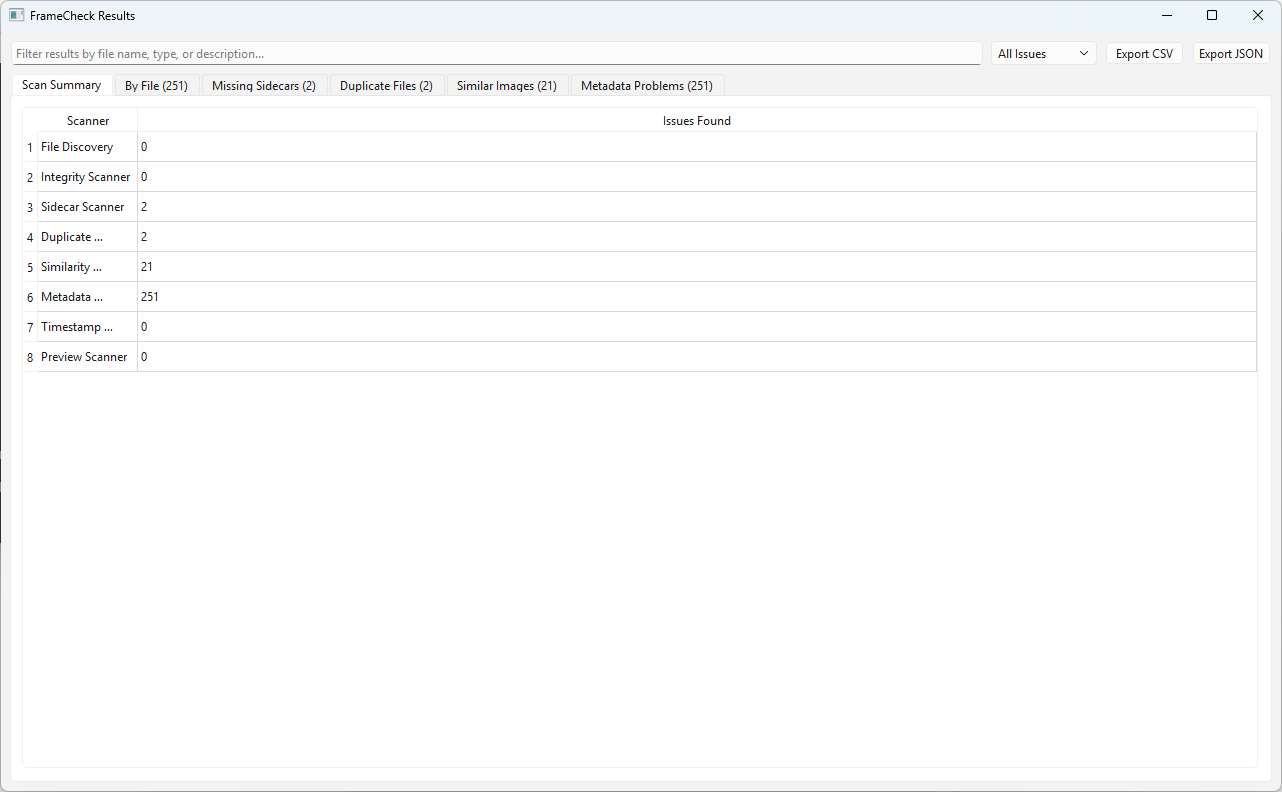
FrameCheck results scan summary showing issues found per scanner.

Per-Scanner Summary

See exactly which scanner found what, so review starts in the right place.
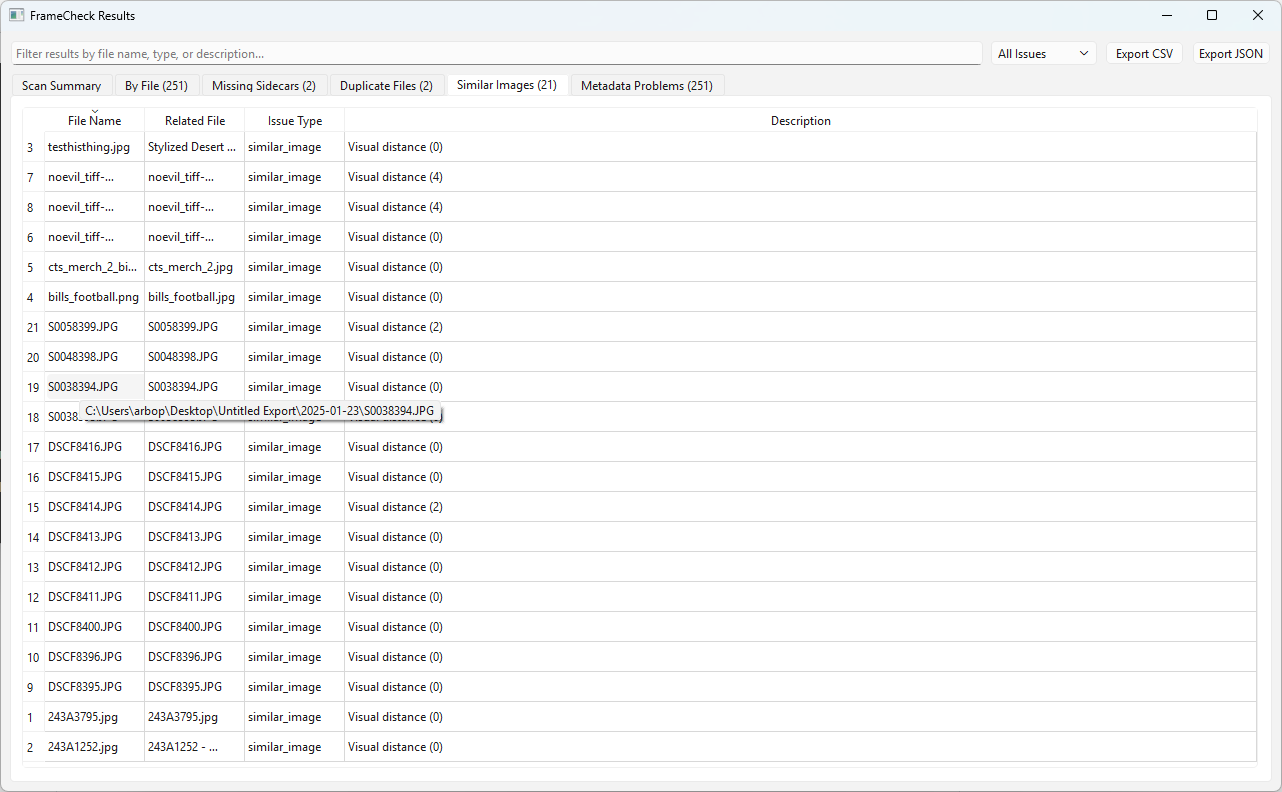
FrameCheck similar images tab showing visual distance and full path tooltip.

Similar Image Review

Inspect visual-distance matches and hover for full related-file paths.
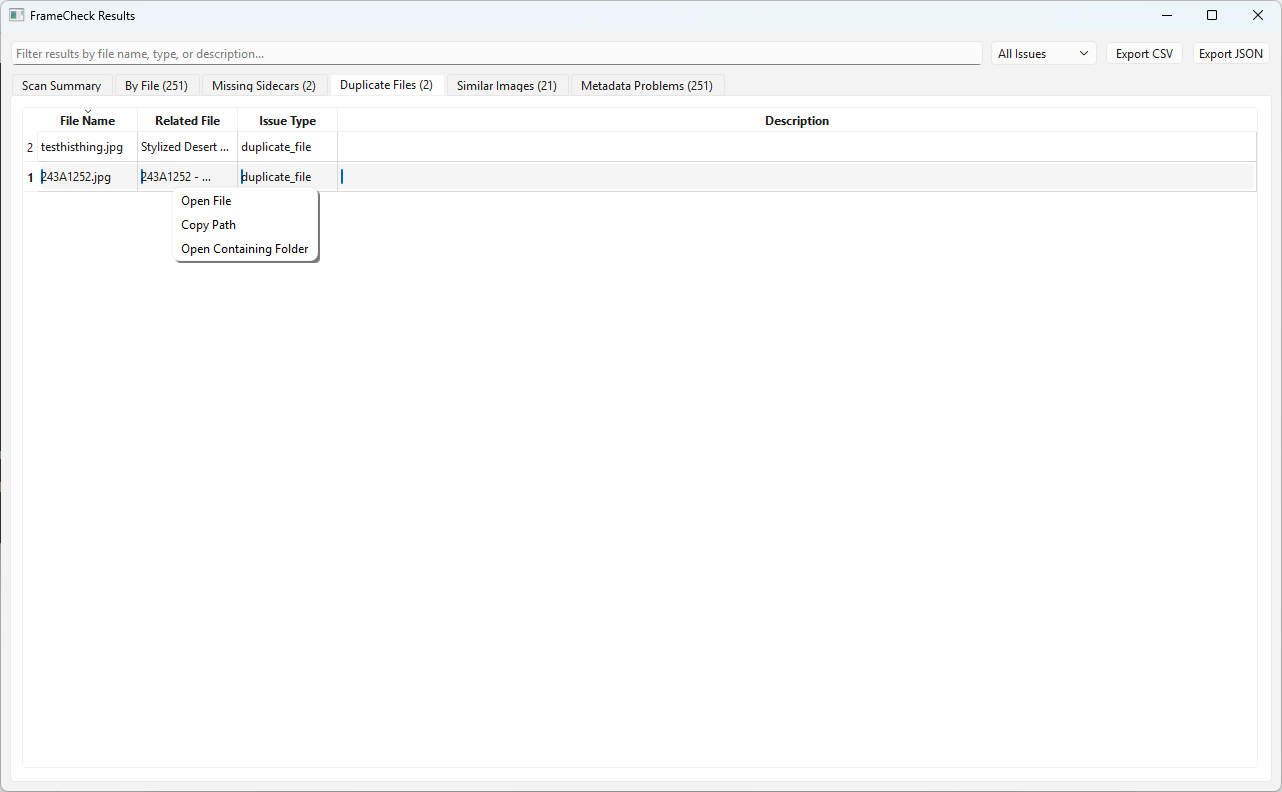
FrameCheck duplicate results with right-click options to open file, copy path, or open containing folder.

Right-Click Actions

Open files, copy paths, or jump to containing folders directly from results.

RAW Format Note

FrameCheck focuses on safe and reliable validation. Some RAW formats are not fully decoded in this version because camera-specific RAW decoding requires additional libraries. Future versions may expand RAW preview and integrity validation support.